 PikaOS Projects
Otter-shell · #184
Clicking on LAN/Ethernet connection in the taskbar will make the connection disappear.
Clicking on the LAN connection in the taskbar makes the icon disappear and cannot bring it back until disconnecting/reconnecting the cable or restarting.
Images courtesy of Zukureneno.
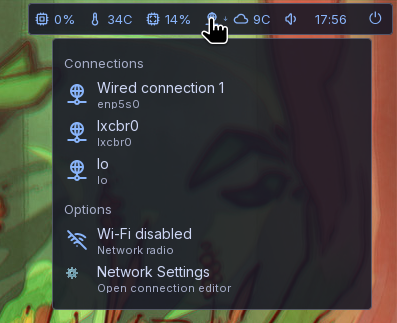
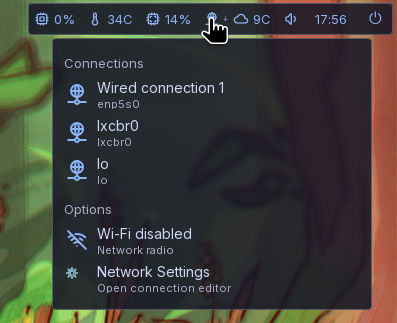
Bug report
Steps to reproduce
Click the network icon in the taskbar, click the network connection.
Expected behavior
Should stay connected or perhaps so info on the connection/settings.
Actual behavior
On click, disappears and disconnects.
Environment
Otter-shell, latest release as of this time.
Discussion
Sign in with Discord to comment.
What actually happens is that when you click the Ethernet connection it will disconnect you without giving you an option to reconnect + disappears.
The disconnecting is quite useful but the non reconnecting is bad since you have to physically reconnect the cable for it to reconnect.
Making it disconnect/reconnect like a wifi would be nice.
And the network settings needs a reconnect option to wifi and Ethernet.
Maybe the network settings could have some kind of auto discovery button? Instead of having to manually add from there. (like on the taskbar/plugin)
Fixed in Otter Shell 0.13.31 (now in the cockatiel repo).
The network panel now lists every Ethernet connection in every state (connected, connecting, disconnected, cable unplugged), so it no longer disappears. Clicking a connected one disconnects it; clicking it again reconnects, the same as Wi-Fi. The Wi-Fi section also has a new Scan for networks row to discover networks from the panel.